
Turn video subtitles into language lessons
Hover any word in the show. Get instant definitions, readings, and one-click Anki cards from real video.
- English
- Spanish
- Japanese
- Korean
- Traditional
- Simplified
Built for all subtitle types
Hard-coded or from the site. Either way, the line becomes clickable text you can look up.
Hard-coded subtitles
Text burned directly into the video frame. Draw a zone to turn those pixels into clickable captions you can instantly look up.
Also called hardsubs.
Site subtitles
Captions from platforms like YouTube or Netflix. These load automatically as clickable text, letting you look up words without any typing.
Also called soft subs or dual subs when shown with a translation.
Multiple subtitle zones
More than one subtitle area on screen? Cover and read each region. Every hard-coded line can become clickable too.
Hover and click captions to learn from the line
Definitions, readings, and flashcards. All from the subtitle text on your screen.
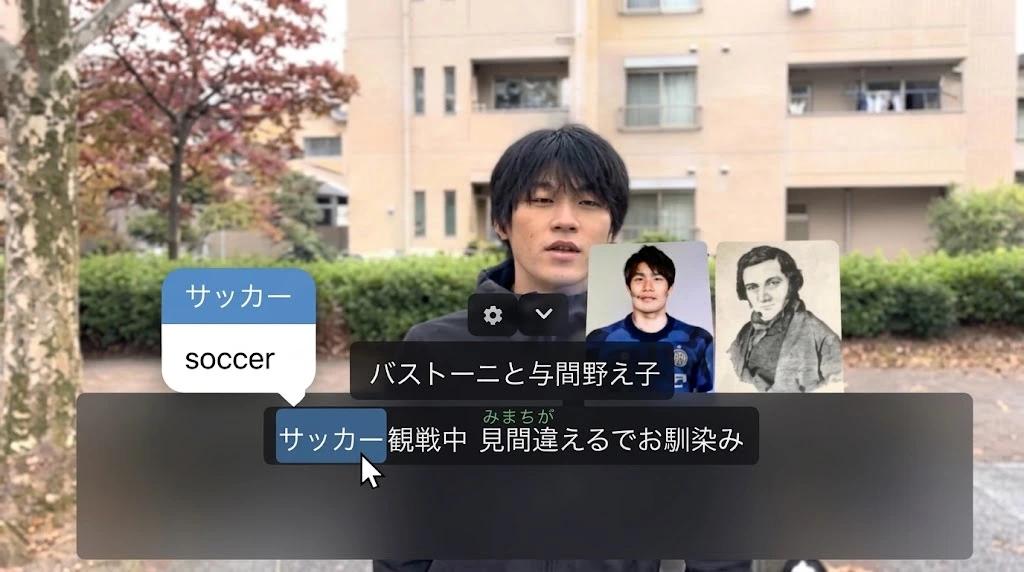
Look up words in context
Click any word in the captions for an instant definition.
- Learn the meaning right as it happens.
- Keep new vocabulary perfectly tied to the context of the scene.
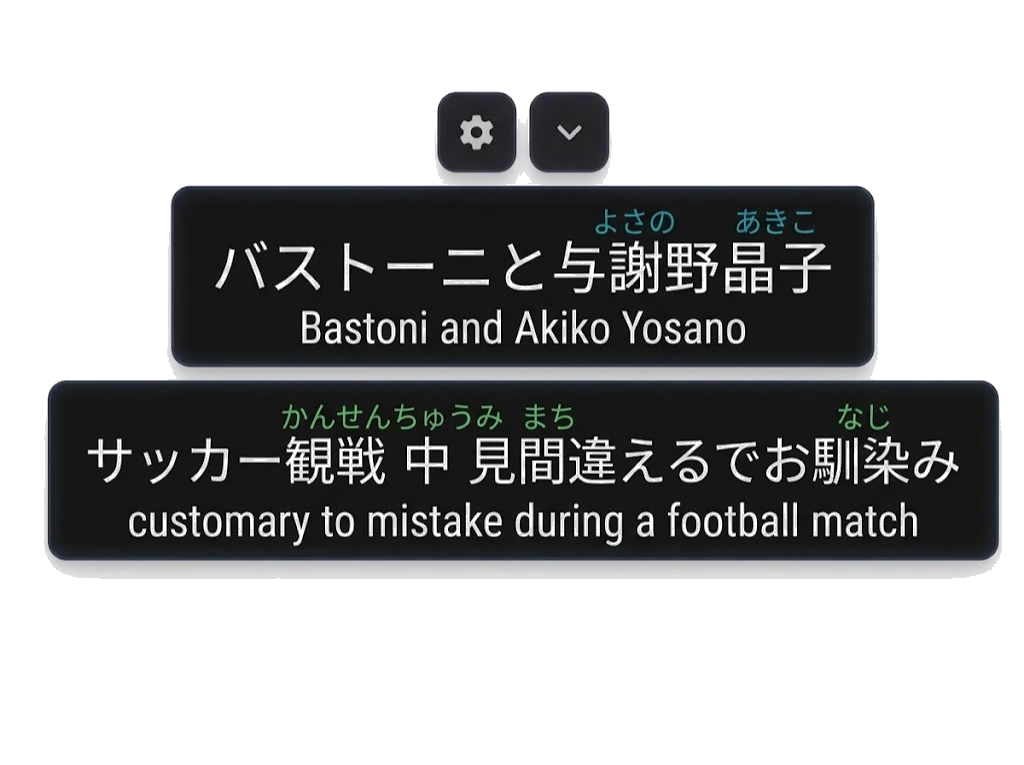
Readings on the words
See exactly how to pronounce new words using the system that fits your style.
Easily toggle:
- Furigana or romaji for Japanese
- Pinyin and zhuyin for Chinese
- Phonetic guides for Korean, English, and Spanish
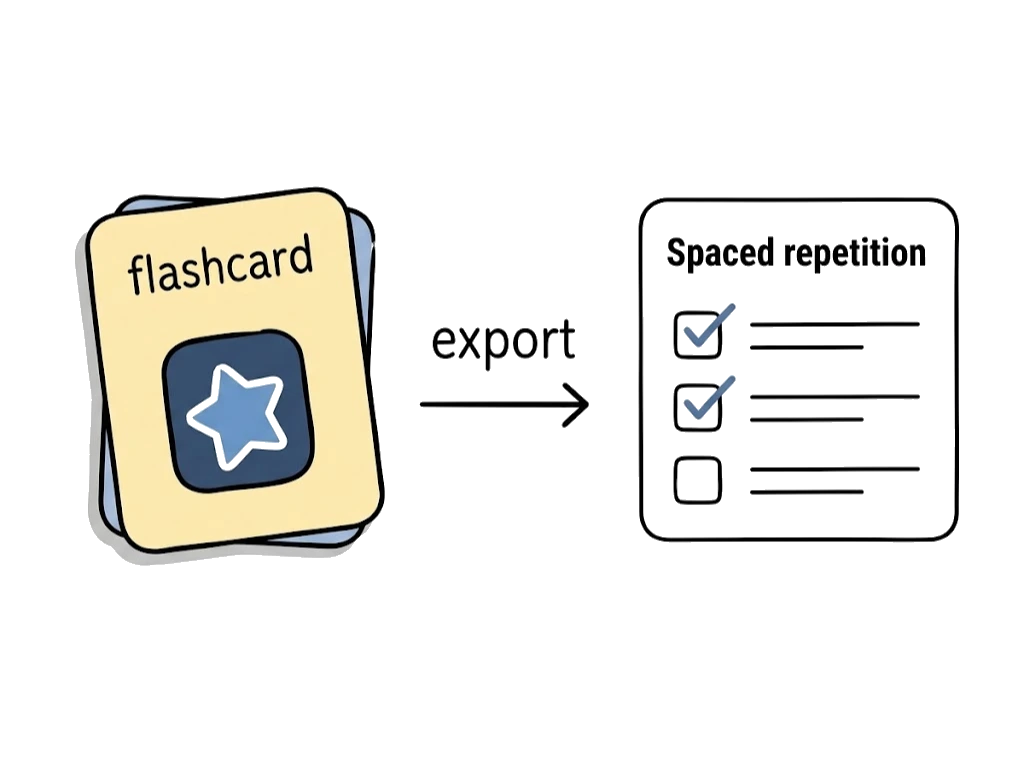
Save words to Anki
Export any word and its original sentence directly to your flashcards.
- Automated reviews scheduled right before you might forget.
- Make vocabulary stick long after the episode ends.
How it works
From "I can't read this show yet" to "I'm learning from it."
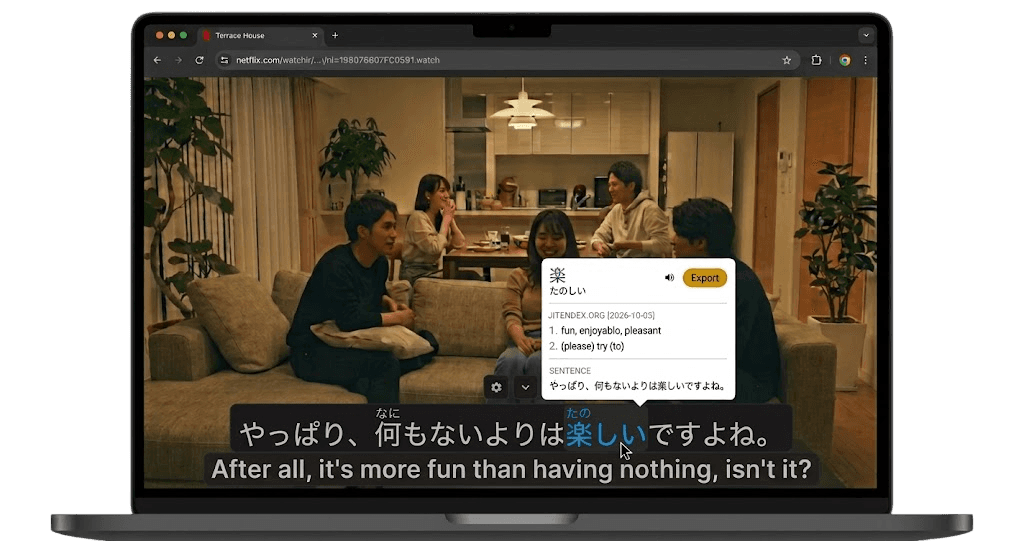
Works with these popular sites…
- Netflix
- YouTube
- Bilibili
- X
YuzuLingo is not affiliated with the brands listed.
Watch and read real native content
You do not need to feel "ready" first. Open a real video. Use site subtitles (soft subs) when the site has them, or draw a zone on hard-coded subtitles when the words are part of the picture. Either way, those lines become clickable captions you can learn from.

Hover over the words
try it!
Learn without a textbook
Start from the show itself. Look up words in the clickable caption as you watch. You get definitions and readings on the same words that just appeared in the episode.
Save words, and see them again later
Save words from the show into Anki with their sentence. Spaced repetition shows each word again around the time you would forget it. Short reviews over days and weeks help episode vocabulary stick instead of disappearing after one watch.
New to immersion?
Translate dual sub lines, then turn them down as you get comfortable.
I'm past beginner. Is this still useful?
Yes. Under the hood it's built for people who already immerse:
- Works with tools you already use (Yomitan, Zhongwen, and similar) on panel text
- Hard-coded captions are read in your browser. No cloud round-trip for the pixels.
- Reveal, cover, and common actions from the keyboard
- Blur vs solid fill, adjustable layout, multi-zone
- Multiple reading systems per language
- Upload monolingual dictionaries in one click
- Upload pitch accent dictionaries for lookups
- Import words you already know from Anki, WaniKani, Renshuu, and similar
- Hide subs, then peek. Cover the zone, listen first, reveal only when you need help.